
SharpFM Pro · FileMaker + MCP
Bring your AI tools to FileMaker.
SharpFM Pro turns your FileMaker scripts and schema into something Claude, Cursor, Zed, or any other MCP-compatible client can read and modify. No bundled model, no per-token markup — use the AI tools you already pay for.
- Claude Desktop
- Claude Code
- Cursor
- Zed
- Windsurf
- any MCP client
See it in 60 seconds.
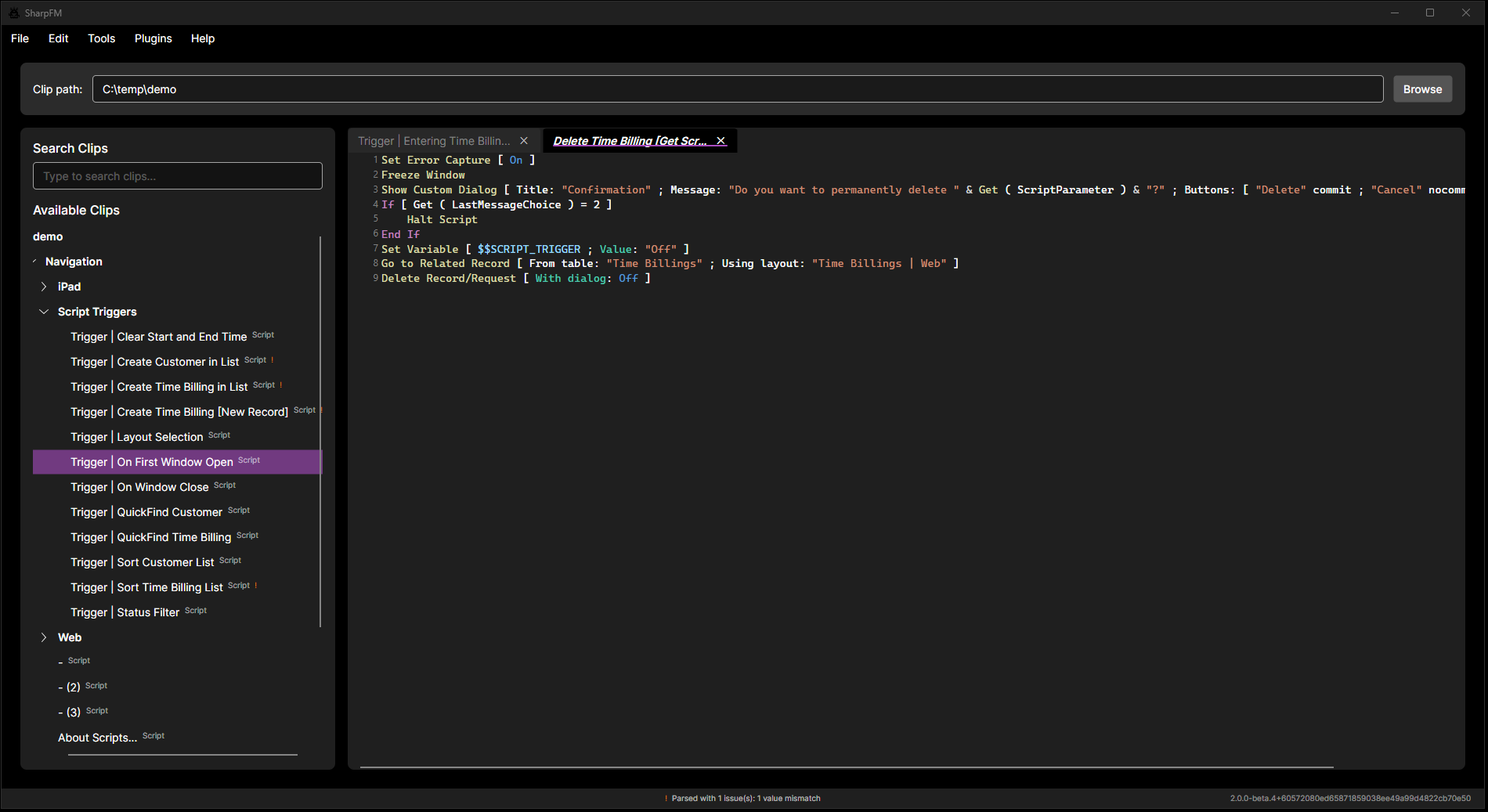
Read and edit FileMaker scripts.
Scripts decode from the clipboard into plain, syntax-highlighted text with inline validation.
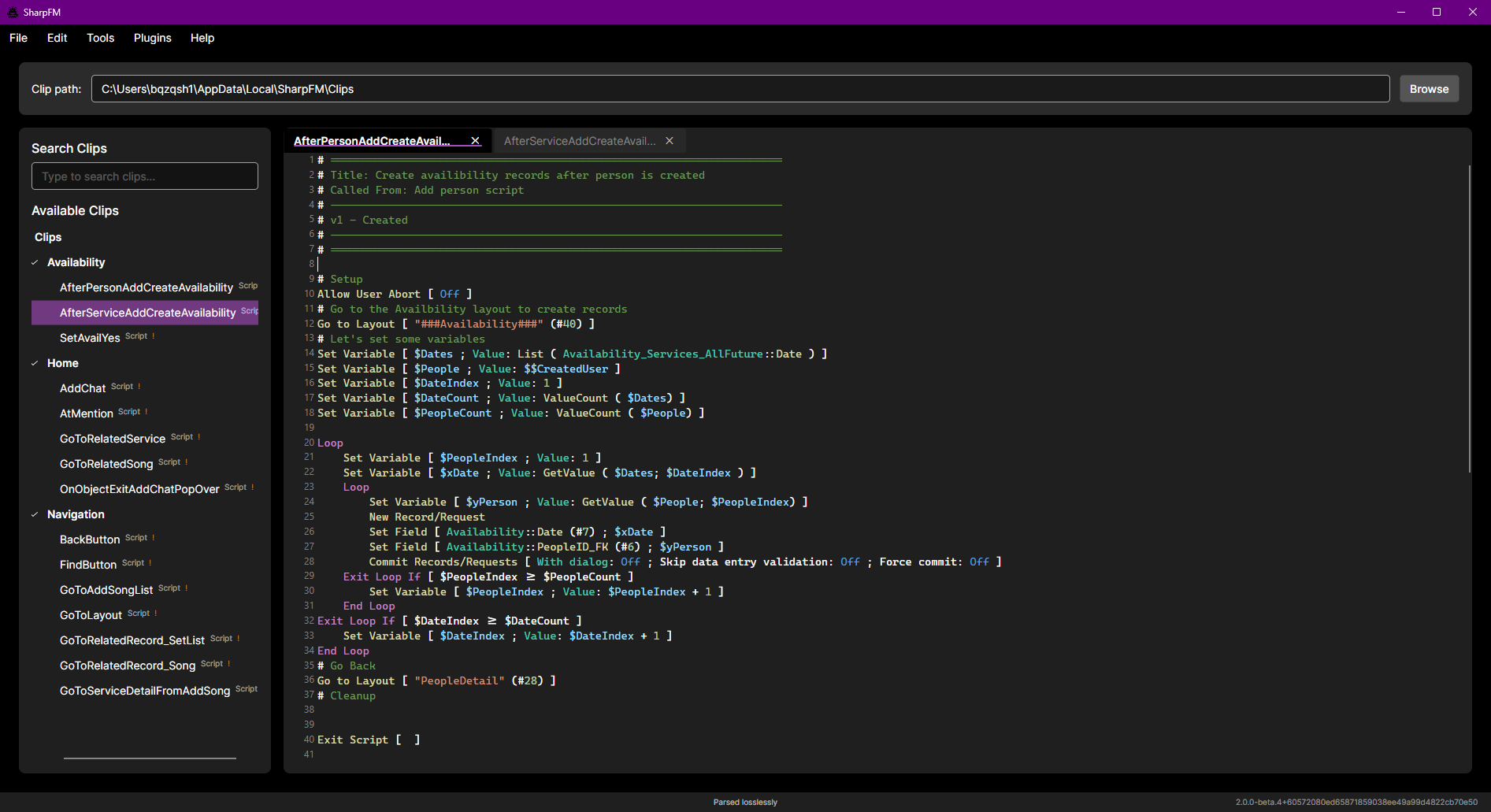
Work across your whole clip tree.
Browse scripts, tables, and fields in a structured tree and edit any of them in a real editor.
Get FileMaker objects out of FileMaker, edit or share them, and paste them back. SharpFM is a cross-platform developer utility that captures the proprietary clipboard format FileMaker uses for scripts, tables, fields, and layouts, exposes it as plain XML plus structured editors, and re-encodes the result on the way back in.
-
Round-trip the FileMaker clipboard.
FileMaker's clipboard is a closed format — scripts, tables, and layouts never really leave the app. SharpFM sits in the middle of that copy/paste: it decodes the clipboard into plain XML, gives you real editors to work with it, and re-encodes it on the way back.
-
Version control, diff, and share.
Save clips as XML files and drop them in a git repo, review diffs like any other source, share snippets through chat or gists, and cross Remote Desktop or Citrix boundaries that strip custom clipboard formats. Plain text survives where the proprietary clipboard does not.
-
Edit in a real editor.
Scripts get syntax highlighting, autocomplete, bracket matching, and inline validation. Tables get a spreadsheet-style grid with a dedicated calculation editor. A live XML view keeps structured edits and raw XML in sync, either direction.
The Productivity plugin takes the same scripts, tables, and fields SharpFM already round-trips and exposes them through an MCP server — so the AI tool of your choice can read and modify your FileMaker code through the same interface you'd use by hand.
-
Bring your own AI tooling.
SharpFM Pro doesn't bundle a model, meter tokens, or mark up inference. Point the Claude subscription, Cursor license, or Zed setup you already pay for at SharpFM — your tools do the thinking, your existing contracts cover the cost. When a better model ships next month, you get it the day your vendor does.
-
Expose your FileMaker code to any agent.
The Productivity plugin hosts an MCP server inside SharpFM. The same scripts, script steps, tables, and fields you can already read and edit by hand become structured, queryable data for any MCP-compatible client — and changes flow back through the same clipboard interface FileMaker developers already trust.
-
Built on the open-source SharpFM app.
SharpFM has always been free and open source. SharpFM Pro is SharpFM plus the Productivity plugin, delivered as an installer ready to run on Mac and Windows. Same code, different delivery.
-
“Explain what this script does and flag anything that looks wrong.” -
“Generate a REST integration script from this API documentation.” -
“Compare these two versions of the script and summarize what changed.” -
“Refactor this calculation to use JSONGetElement instead of nested If statements.”
Your agent. Your tools. Your FileMaker code.
SharpFM is open source and free forever. If you're comfortable building .NET projects and managing updates yourself, the GitHub releases have everything you need. SharpFM Pro is for developers who'd rather pay for a working installer, the Productivity plugin preconfigured, and its source bundled in the box — than spend the afternoon on setup.